THE CHANNEL+ GUIDES
IPTV player or subscription: what have you actually bought?
If an IPTV app is activated but no programmes appear, you may have paid for the player rather than the service it plays. Check the exact product, the on-screen message and the duration on your order before buying anything else.
Jump to your situation
The player and the programme access are separate purchases
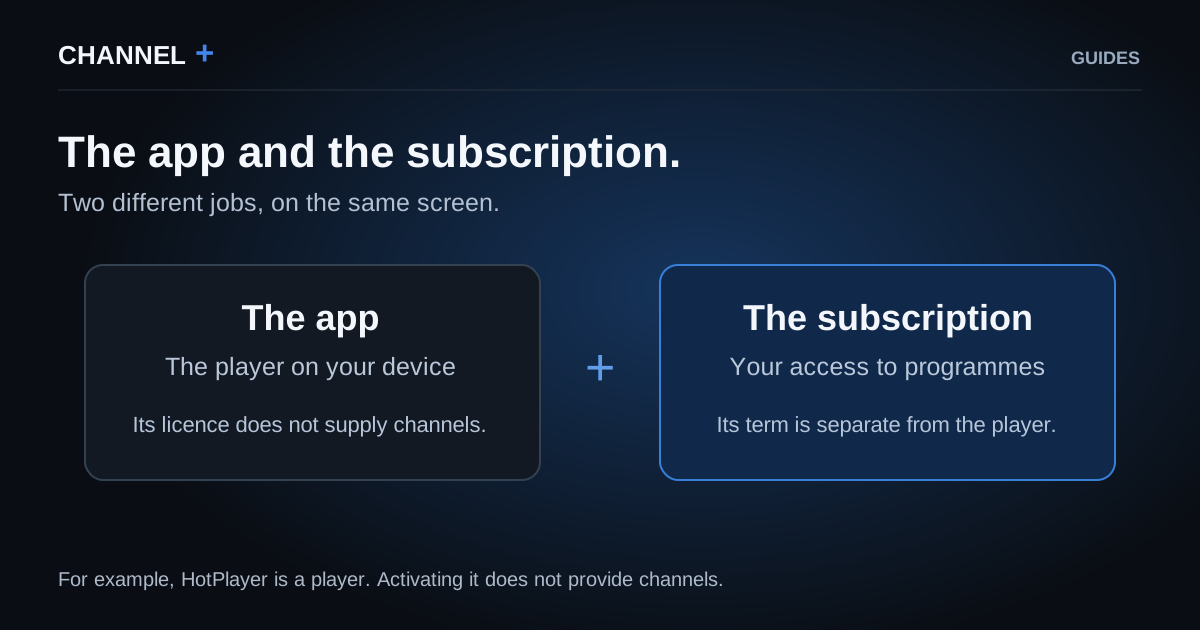
An IPTV player is the app that opens and displays compatible streams on your television, streaming device or phone. A subscription is the separate access to programmes for an agreed term. Paying for one does not automatically buy the other.
HotPlayer makes that distinction explicit on its activation page: activating its player does not provide channels. That is a useful example, but it does not mean every player uses the same price or licence terms.
The practical question is therefore not simply whether you paid. It is whether the order covered the viewing app, access to programmes, or both.
References : [1]
Read the order before you read the payment screen
Find the confirmation email, invoice or seller message and look for the product name, seller, duration and anything described as included. Those details are more reliable than guessing from the word IPTV in an app name.
- Player activation or app licence: permission to use that player, without an automatic promise of programmes.
- Subscription or a named plan: access supplied for the stated term and conditions.
- App and subscription included: accept this only when the order says so clearly.
An activation request inside the app is a clue about the player. It is not, by itself, a diagnosis of your subscription.
Before paying again
Photograph the exact message on screen, find the original order and ask the seller which part is missing. These three checks help separate an app activation from expired or absent programme access.
Send the screenshot privately and keep login details out of public forums. The aim is a precise answer about the order, not another payment made in hope.

Not bought yet? Start with the exact device and app
Note the full television or streaming-device model and the exact player name. Ask whether that combination is compatible, what access format will be supplied and whether the player charges a separate fee.
CHANNEL+ states that you need a suitable IPTV player app and that any player licence is separate from the subscription. A device brand alone is not a guarantee that every model offers the same apps.
Compatibility, the player licence and simultaneous viewing are three different checks. Confirm each one before paying.
References : [2]
An extra app licence does not add another active screen
The number of screens you can use at once is controlled by the subscription, not by the number of devices on which you install a player.
A CHANNEL+ individual subscription permits one active screen per login. Multi-connect provides separate logins. Buying or activating another app does not create another server connection.
References : [2]
Buy only the part that is actually missing
If programme access is already active, ask the provider to identify the correct setup rather than buying a second subscription. If you only have the player, compare subscriptions after confirming that the device and app are suitable.
If the order is unclear, pause before paying. The CHANNEL+ team can confirm the available term, number of screens and setup route. This guide helps identify the missing part; the subscription page is where you can choose access once that need is clear.
References : [2]
Sources & references
Find the original advice from the services and manufacturers mentioned.